
Prince William County Water Bill: Pay Online, Login, Phone Number, Fees and Service Help
Prince William County water and sewer billing is mainly handled by Prince William Water. This guide gives you the official payment portal, login route, customer service number, emergency dispatch number, card fee warning, free scheduled e-check note, start/stop/transfer service steps, high bill checklist, leak help and official support links in one practical place.
How to pay a Prince William County water bill
To pay a Prince William County water bill, use the official Prince William Water customer portal or start from the official Payment Options page. For billing help, call 703-335-7950 during business hours. For water main breaks, service outages, running water in the street or after-hours emergencies, call 703-335-7990.
Before paying: confirm your water provider name
Most searches for “Prince William County water bill” are for Prince William Water, but not every property in Prince William County is billed by the same provider. Some Dale City-area customers may be served by Virginia American Water. Always check the provider name printed on your bill before paying.
Use Prince William Water links if your bill shows Prince William Water, Prince William County Service Authority, or the Prince William Water customer service phone number.
Open Prince William Water payment options →If your bill says Virginia American Water or MyWater, use Virginia American Water’s MyWater login and support instead of Prince William Water.
Check Virginia American Water Prince William System →What do you need to do today?
Instead of reading everything, start with the exact task that matches your situation.
Main official Prince William Water links
Use these links for payment, account login, fees, service requests, leak help and emergency information. This guide explains the process, but official action must happen through Prince William Water.
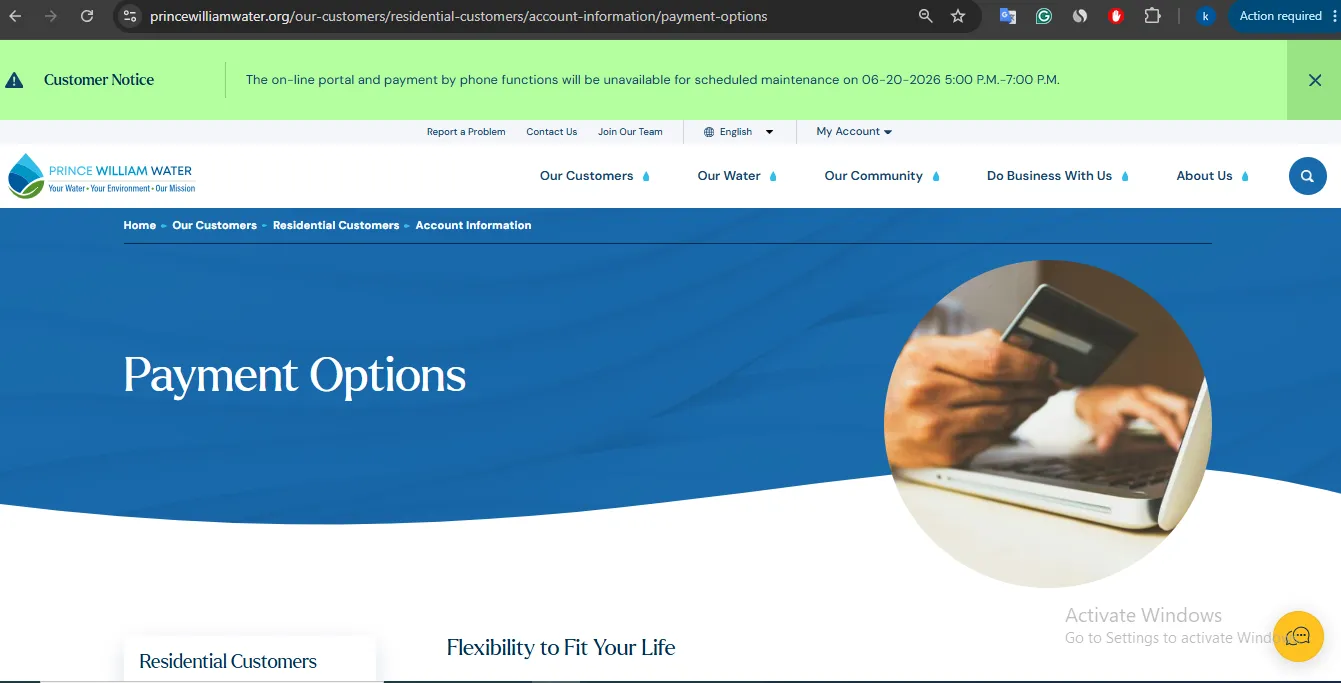
Image note: This image is used only as a user-help visual reference near the payment/action section. It is not account proof, payment confirmation, an official endorsement, or a replacement for the live Prince William Water website.
How to pay your Prince William County water bill online
Use this flow if you want the safest and clearest route to complete a payment without getting confused by unofficial bill-pay websites.
Prince William Water payment fee guide: e-check vs card
The biggest payment confusion is the fee. Prince William Water receives no payment from the vendor fee, and the fee is not absorbed by the utility.
Scheduled e-check
Scheduled payments issued by electronic check are listed as free. This is usually the best choice when you can pay from a bank account and want to avoid card convenience fees.
Credit / debit card
Card payments are convenient but include a $2.75 convenience fee. Confirm the fee on the payment screen before submitting.
Registered portal account
Create an account if you want scheduled payments, recurring payments, account history, payment history and service requests.
| Payment type | Official fee note | Use when |
|---|---|---|
| Scheduled e-check | Free for scheduled payments issued by electronic check. | You want to avoid the card convenience fee. |
| Credit card | $2.75 convenience fee applies. | You prefer card payment and accept the vendor fee. |
| Debit card | $2.75 convenience fee applies. | You want quick card-style payment and accept the vendor fee. |
| Partial payment | Partial payments are accepted, applied to oldest charges first. | You cannot pay full balance, but still need to reduce old charges. |
What you can do inside the Prince William Water portal
The portal is useful if you are not just making a one-time payment. It helps with account visibility, payment history, scheduled payments and service requests.
Use the portal to pay bills and keep your payment history in one place. Save the confirmation after each payment.
Open portal →Registered users can use scheduled payment options. Scheduled e-check is the official no-fee route listed by Prince William Water.
Check payment FAQ →For transfer or stop service, Prince William Water points customers to Requests/Updates inside the online account.
Stop/transfer help →Use your online account to reduce confusion about posted payments, old balances and service requests.
Account help →What to do if your Prince William Water account is past due
Past-due accounts need more care than a normal payment. You need to pay through a fast official route, save proof and understand whether service restoration or after-hours fees may apply.
Start, stop or transfer Prince William Water service
Moving is where many billing problems happen. Do not just pay the old bill and assume the account will close automatically.
| Move task | Official route | Practical step |
|---|---|---|
| Start new service | Call Customer Service or visit the business office. | Call 703-335-7950 or visit 4 County Complex Court during business hours. |
| Stop service | Call, use Requests/Updates online or visit the office. | Complete this at least two business days before moving. |
| Transfer service | Use Requests/Updates and Transfer Service in the online account, or call. | Have old address, new address, move date and account details ready. |
| Final bill concern | Customer Service. | Save stop/transfer confirmation and check final billing after the move. |
What to do if your water is off
Prince William Water gives a simple order of action: check whether your bill has been paid, then contact the right number based on the time of day.
Leak adjustment, running water and high-bill help
If your bill increased because of a leak on your side of the meter, Prince William Water says you may be eligible for a courtesy adjustment. You still need to document the issue and follow official instructions.
| Problem | Who to contact | Best action |
|---|---|---|
| Leak on your property | Customer Service / Leak Adjustment | Repair leak, keep proof and ask about courtesy adjustment. |
| Running water in street | Customer Service or Emergency Dispatch | Call 703-335-7950 during business hours or 703-335-7990 after hours. |
| Water main break | Emergency Dispatch | Call 703-335-7990 and give the nearest address/cross street. |
| High bill with no obvious leak | Customer Service | Review usage, payment history, household changes and ask for account guidance. |
Need extra time or payment help?
If you cannot pay by the due date, contact Customer Service before the account becomes more urgent. Prince William Water says customers can discuss extensions with Customer Service or by email.
Call 703-335-7950 or email customerservice@pwwater.org. Email inquiries may take two business days.
Partial payments are accepted, but they apply to the oldest charges first. Pay in full within the required time to avoid service disruption.
How to read a Prince William Water bill before disputing it
Before calling, look at the actual bill pieces. A bill can increase because of consumption, fixed service charges, sewer charges, old balances, card fees, payment timing or a real leak.
Prince William Water mobile app: useful for bills and alerts
Prince William Water also promotes a mobile app for account access on the go. It can help with bill payment, usage review, alerts and reporting problems.
Prince William Water phone number, office address and map
| Contact item | Official detail | Use it for |
|---|---|---|
| Customer Service | 703-335-7950 | Billing, payment, account, extension, start/stop/transfer and service questions. |
| Emergency Dispatch | 703-335-7990 | Water main breaks, running water, outages and after-hours emergencies. |
| Receptionist | 703-335-7900 | General office routing. |
| customerservice@pwwater.org | Non-urgent customer service questions; allow two business days. | |
| Office | 4 County Complex Court, Raymond Spittle Building, Woodbridge, VA 22192 | In-person account support during business hours. |
| Hours | Monday-Friday, 8 AM-5 PM | Customer Service calls and office visits. |
Map shows Prince William Water at 4 County Complex Court, Woodbridge, VA 22192. For payment, use the online portal first unless you need in-person account support.
Common Prince William County water bill mistakes
| Mistake | Why it causes trouble | Better action |
|---|---|---|
| Using unofficial payment websites | Payments may be delayed, misdirected or include confusing third-party charges. | Start from princewilliamwater.org or the official portal. |
| Ignoring the card fee | Credit/debit card payment includes a $2.75 vendor convenience fee. | Use scheduled e-check if you want the free listed option. |
| Paying the wrong provider | Some Prince William County customers may be served by Virginia American Water, HOA systems or another utility. | Check the provider name printed on your bill before paying. |
| Waiting until moving day | Stop/transfer service should be done at least two business days before the move. | Submit move request early and save confirmation. |
| Only emailing urgent issues | Email can take two business days. | Call for urgent account or emergency issues. |
| Not documenting a leak | Leak adjustment review may need repair proof. | Save plumber invoices, receipts, photos and repair date. |
Official Prince William Water resources used in this guide
| Official resource | Use it for | Open |
|---|---|---|
| Prince William Water | Main official utility website. | Open website |
| Customer Portal | Pay bill, login, register and manage account. | Open portal |
| Payment Options | Official payment routes and payment method guidance. | Open options |
| Electronic Payments FAQ | E-check/card fee information and recurring payment details. | Open FAQ |
| Customer Service | Billing, partial payments, budget billing, leak adjustment notes and account support. | Open customer service |
| Start Service | New service, transfer service and moving instructions. | Open start service |
| Past Due Accounts | Past-due payment, restoration and after-hours fee guidance. | Open past due info |
| Report a Problem | Water off, running water, leaks and emergency routing. | Open report page |
| Leak Adjustment | Courtesy leak adjustment guidance. | Open leak adjustment |
| Emergency | Water main breaks, service outages and after-hours reporting. | Open emergency page |
| Virginia American Water Prince William System | Provider check for Dale City / Virginia American Water customers. | Open provider page |
Prince William County water bill FAQs
How do I pay my Prince William County water bill online?
Use the official Prince William Water customer portal or the official Payment Options page. Log in or create an online account to pay and manage payment options.
What is the official Prince William Water login?
The official online account route is the Prince William Water customer portal. For safety, start from princewilliamwater.org or the Payment Options page before entering account details.
What is the Prince William Water customer service phone number?
Customer Service is 703-335-7950. Representatives are available Monday through Friday from 8 AM to 5 PM.
What is the Prince William Water emergency number?
Emergency Dispatch is 703-335-7990. Use it for after-hours emergencies, water main breaks, running water in the street and service outages.
Where is the Prince William Water office?
The business office is at 4 County Complex Court, Raymond Spittle Building, Woodbridge, VA 22192.
Is there a fee to pay by card?
Yes. Prince William Water says credit and debit card payments include a $2.75 convenience fee charged by the electronic payment vendor.
Is e-check free?
Scheduled payments issued by electronic check are listed as free.
Can I set up recurring payments?
Yes. Prince William Water says customers need to register their account online to make recurring or scheduled payments.
Can I make a partial payment?
Yes. Partial payments are accepted and applied to the oldest charges first. To avoid collection or possible service disruption, the bill should be paid in full within 30 days.
Does Prince William Water offer budget billing?
No. Prince William Water states that it does not currently offer budget billing.
How do I start water service?
Call Customer Service at 703-335-7950 or visit the business office at 4 County Complex Court in Woodbridge during business hours.
How do I stop or transfer service?
Call Customer Service, use Requests/Updates in the online account, or visit the business office. Handle this at least two business days before your move.
What should I do if my water is off?
First check whether your bill has been paid. Then call Customer Service at 703-335-7950 during business hours or Emergency Dispatch at 703-335-7990 after hours.
How do I report running water in the street?
Call Customer Service at 703-335-7950 Monday through Friday from 8 AM to 5 PM. Outside business hours, call Emergency Dispatch at 703-335-7990.
Can I get a leak adjustment?
You may be eligible for a courtesy adjustment if the leak was on your side of the meter. Keep repair proof and check official leak adjustment guidance or call Customer Service.
What if my bill says Virginia American Water?
If your bill says Virginia American Water or MyWater, use Virginia American Water’s MyWater login and customer service instead of Prince William Water. Always check the provider name printed on your bill before paying.
Is Water-Department.org the official Prince William Water website?
No. Water-Department.org is an independent guide. Official payments, payment posting, fees, extensions, account service, leak adjustments and emergency reporting must be handled directly through Prince William Water.
Last editorial check: June 2026. Utility payment links, phone numbers, fees, service procedures and account rules can change. Confirm final details directly with Prince William Water or the provider printed on your bill.
Pay Smarter, Check High Bills, Start Service, Avoid Shutoff and Find Official Water Department Links
Use this free tool before paying a water bill, setting up autopay, starting or stopping service, checking a high bill, requesting leak help, or looking for the official water department portal. It gives practical next steps without collecting your account number or personal details.
What water bill or service problem do you need to solve?
Choose your situation. The tool will suggest the safest next step, what to prepare, and which official page to check first.
Start from the official water department, city, county or utility website before entering account details. Avoid random payment ads and look-alike bill pay sites.
Before paying a very unusual bill, check meter reads, toilet leaks, irrigation use, estimated bills, late fees, and whether your utility offers a leak adjustment.
Water Bill Payment Route Helper
Choose how you want to pay. The tool will tell you what to prepare and the safest payment path.
High Water Bill Checker
Compare your normal bill with the new bill and get a practical investigation path before calling customer service.
Leak Check and Adjustment Checklist
Use this before requesting a leak adjustment, disputing a bill, or calling the water department about high usage.
Start, Stop or Transfer Water Service Helper
Use this before moving, opening a new account, closing an old account, or transferring service to another address.
Past Due, Shutoff and Reconnection Helper
Use this if your account is late, disconnected, at risk of shutoff, or you need a payment plan or assistance program.
Simple Water Usage Cost Estimator
Estimate a rough bill from base charge, usage units, rate per unit, sewer charge, stormwater fee and service fees. Official tiered rates may be different.
Official Water Department Resource Finder
Enter city/utility and state to create safe searches for the official water bill portal, phone number, outage page, assistance, start service, leak adjustment, and Water-Department.org guide.
Water Department vs Payment Processor
- Water department: account help, service start/stop, leaks, repairs, shutoff, assistance.
- Payment processor: card/eCheck payment screen, payment fee, confirmation number, posting time.
Best sitewide placement
Add this tool after the main payment section or before FAQs. It helps users solve the next problem after reading the article.
Important safety note
This tool gives educational guidance only. Always confirm payment portals, phone numbers, account balance, assistance rules and reconnection steps with the official water department or utility.